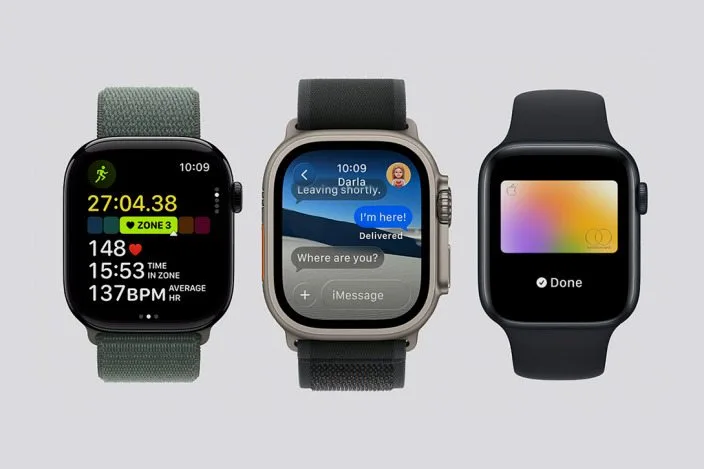
This year, Apple introduced us to three new Apple Watch models: Apple Watch Series 11, Apple Watch SE 3 (third generation), and Apple Watch Ultra 3 (third gen). I can help you decide if it’s time for you to upgrade, and if so, which of these is the best option for your unique circumstances.
1. How Long Do Apple Watches Last?
Apple Watches are tiny but mighty, and users have reported using them for up to five years without any problems! Many Apple Watch enthusiasts, including most iPhone Life employees, like to get a new watch every 2-3 years to make sure they have all the latest features. Plus, even if a watch is still working, battery life does deteriorate every year, which can be a good reason to upgrade. Another thing to consider is if your watch can run on the latest software. Watches as old as the Apple Watch 6 can run watchOS 26, but keep in mind that lots of features are hardware-specific.
2. What Features do the New Models Offer?
The newest watches are a little disappointing when it comes to new features. All three models offer 5G if you get the cellular versions, longer battery life, and tougher displays that are harder to scratch. Plus, the Apple Watch Ultra 3 lets you use Emergency SOS and Messages via satellite. However, the most exciting new high blood pressure/hypertension alert feature is available on older models like the Apple Watch Series 9, 10, and Ultra 2. The other new health feature, Sleep Score, will work on any Apple Watch that can run watchOS 26.
3. Who Would Benefit from a New Watch?
I have the Apple Watch 10, and since I don’t have any hypertension concerns, I don’t have a need for the new watch, even though the battery life improvement would be an amazing upgrade. However, if I had an Apple Watch 8 or an Apple Watch SE 2 or older, I would consider trading up. The main differences would be better battery life, brighter and stronger display, features such as depth gauge and water temperature, and Sleep Apnea notifications. If none of these interest you, then you might want to hold on to your old watch for another year or two!
Plus, if you are health-conscious and want to keep an eye on your blood pressure, you should definitely consider one of the new models - but keep in mind that you can also purchase an older refurbished model to save some money and still get to enjoy these new features.
4. SE vs Baseline Series vs Ultra
The new hypertension alert feature works by using an algorithm that analyzes how your blood vessels respond to the beating of your heart via the optical heart sensor. After a 30-day period of readings, your watch will take the gathered data and send you an alert if any signs of consistent hypertension are detected. Any high blood pressure readings will be saved in your Health app, allowing you to easily share them with your doctor. While it hasn’t been long enough for me to test it out, I am excited to see what my Health app says about my blood pressure in about a month.
The Apple Watch Ultra models are the most rugged and feature-rich, but they are also LARGE. I used the Apple Watch Ultra and found it to be too big for my small wrist, which is why I traded it in for the Apple Watch 10.
The baseline models have the most variety and come with most of the standard features, leaving only a few extras for the Ultra, like Emergency SOS and Messages via satellite. What I like about the base models is that they are almost half the cost of the Ultra, and you can pick between two sizes—I always go for the smallest as it suits me best.
The SE models are the budget option, and the SE 3 adds a lot of features, making it perfect for those who want to save some money.
5. Conclusion
I have some friends who are still loving their Apple Watch 6 and others who complain about their Apple Watch Ultra 2. This is because we all have unique device needs. I recommend using Apple’s compare feature to see every single difference between the watch you have now and the watch you are considering purchasing. Also, if battery life is the only reason you want to upgrade, make sure to look into your device’s battery health to see if you are eligible for a free battery replacement.
Are you buying one of the new Apple Watch models? Which one is your favorite? Email OntheWatch@iphonelife.com and let me know!