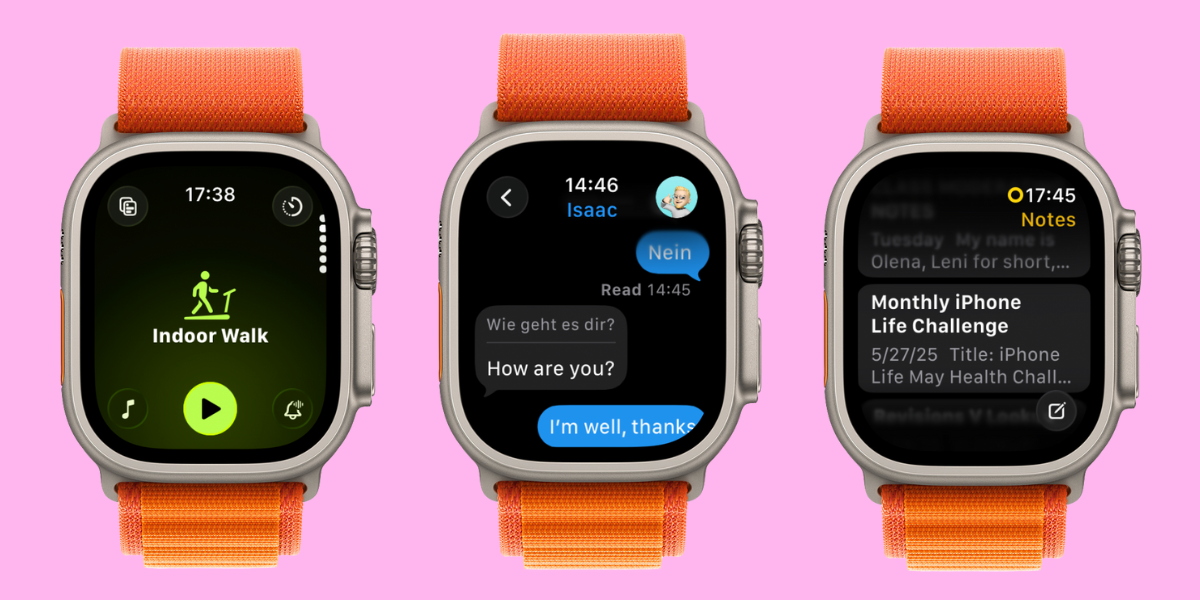
Hey, Insider! It’s Olena here. I was quick to download the Developer Beta of the new watchOS 26 software and… it was very eye opening. Some features sounded good and didn’t meet my expectations. Others were so much better than expected! Let me tell you all about the new watch features so that you know exactly what to expect from the watch OS update when Apple releases it to the public in the fall.
iPhoneLife Logo
On The Watch ⌚
Everything Apple Watch: Tips, News, Deep Dives, Apps & Gear

Editor's Note

Hey, Insider! It’s Olena here.

I was quick to download the Developer Beta of the new watchOS 26 software and… it was very eye opening. Some features sounded good and didn’t meet my expectations. Others were so much better than expected! Let me tell you all about the new watch features so that you know exactly what to expect from the watch OS update when Apple releases it to the public in the fall.

Happy Reading!

Olena Kagui's picture
Olena Kagui,
On the Watch Editor at iPhone Life
IN THIS EDITION

  • Tips - Customize your workout for the best experience. 🏋️
  • Trivia - When was the first pet wearable released? 🐑
  • Deep Dive - Are the watchOS 26 features as good as promised? 🤖
  • Reader Questions - Side Button not working on watch. ⌚
  • Health Challenge Update - Our July Challenge is starting soon! 🏆
  • Fun and Interesting Tidbits - Apple products save the day, once again 🚨
🔥🤯 APPLE WATCH TIPS

❤️ How to get an ECG reading on your Apple Watch.

⬇️ Fix your automatic app download settings today.

🏋️ Easily customize your Apple Watch workouts.

🏆😎 Trivia

Humans aren’t the only species that benefits from wearable health and activity trackers; they’re popular for pets too! What year did the first piece of wearable animal technology come out?

  • 🐑 1955
  • 🐑🐑 1975
  • 🐑🐑🐑 1995
  • 🐑🐑🐑🐑 2015

🏆 Did you get it right? Scroll down to find out! 🏆

🌊🤿 DEEP DIVE: Testing WatchOS 26 - the Good & the Bad

Mere hours after watchOS 26 was announced on June 9, I downloaded the Developer Beta on my watch — a questionable decision because beta software can be glitchy — because I just couldn’t wait to try the new features and tell you what I love and hate about them.

1. Workout Buddy

Perhaps the most exciting-sounding feature was Workout Buddy, a virtual fitness coach that uses all your Health data to cheer you on while you work out. The set up was easy and could be done quickly and directly on my wrist, allowing me to pick between a female and male sounding voice to encourage me on my workouts. Of course, this feature is optional and if you don’t toggle it on, you won’t get any unwanted advice.

After walking on my treadmill for half an hour, I realized that the feature only worked if you wore headphones, even if you have an Apple Watch with external speakers like the Apple Watch Series 10 and Apple Watch Ultra 2. I found this disappointing because I mostly work out at home and don’t like wearing AirPods (or other headphones/speakers) while I’m sweaty.

Once I put my AirPods on and connected them to my watch, I finally got some virtual coaching. Overall, it was a nice little motivational boost. However, it does not give you any actual workout tips that could push you further. Upon researching, I learned there are legal limits to what a virtual coach can suggest without being liable for your health and safety. So it makes sense that the Workout Buddy is, as the name suggests, just a buddy, not an actual coach. While I’m sad that it doesn’t do more, it makes sense that AI isn’t advanced enough to give me solid and safe direction while I’m working out and I’m glad that Apple is erring on the safe side.

2. Workout App Redesign

Something I was less excited about was the redesign of the Workout app. I am a creature of habit and I didn’t have any problems with the old design. To my surprise, it was love at first sight when I navigated the new app. It feels more intuitive and there’s so much more I can do within the app — like select a motivational sound track with just a tap!

3. Wrist Flick

I love using Gestures to navigate my Apple Watch and Wrist Flick is even better than I expected. Many Gestures can be finicky to use, but flicking my wrist to return to my watch face feels super natural and works 9 out of 10 times. During the announcement, I expected to use this feature mainly to dismiss notifications, but I’ve also been using it to leave apps once I’m done using them — it’s way more convenient than pressing the Home button.

4. Notes App

The Notes app is my secret weapon to getting things done and not forgetting anything. I use it almost religiously on my MacBook, iPhone, and iPad, but I have always wondered why I can’t use it on my watch. Well, now I can!

The app is pretty self explanatory and you can use it on your watch the same way you use it on your phone. You can open it by tapping on it or asking Siri to open it, and then you can view your previous notes or write notes by tapping or using speech to text. I am very excited to be able to access and edit my notes discreetly using my watch!

5. Liquid Glass

Apple focused a LOT on Liquid Glass during its WWDC keynote presentation. Liquid Glass is what the company calls its new design that makes controls and buttons look like transparent glass — and they have it across all devices! While it’s less noticeable on the Apple Watch than on the iPhone, it still looks great on your wrist and makes the Control Center look fresh. I also love being able to see my photo watch display in the background while I’m tapping in my passcode. It’s not a huge change but it is a good one that I’m enjoying more than I expected.

What new watchOS feature are you most excited about? Email OntheWatch@iphonelife.com and let me know!


🤔❓ READER QUESTIONS

You asked and we answered!

I have always used the Control Center to Find My iPhone. In the last few weeks it hasn’t worked and I cannot feel the button depressing. What can I do to get it to work again? - Bob C

A: Hello Bob, I use my watch to find my phone all the time too! Since you aren’t feeling the button depressing, I assume it must be a hardware issue. Have you tried cleaning your watch and making sure there’s no debris around the button? Have you recently dropped or damaged your watch? If this is the issue then you’ll have to visit an Apple store to get it looked at. Until then, you could still ask Siri on your watch to ping your iPhone.

✉️ Email your questions to OnTheWatch@iPhoneLife.com and we might answer them in a future edition! Questions may be edited for clarity and length.

👟💪 iPhone Life Health 👟Challenge Update

Our July Challenge starts in just a few days on July 1st! You can check if you made the top 20 June participants in our next newsletter. The monthly iPhone Life Challenge is a great way to come together as a community and motivate each other to reach our health goals by staying active. We’ll be doing a weekly accountability post for premium subscribers in our Insider Facebook group to share struggles and tips and support each other on our journeys.

To join the challenge, download the free Challenges app on your iPhone and enter the code 9VXD when prompted. Need help? This article explains the steps and tells you more about the app.

Are you enjoying the challenge? Do you have any suggestions for how we can make it even better? Email OntheWatch@iphonelife.com and let me know.

🥇 CHECK YOUR TRIVIA ANSWER 🥇

The correct answer is: 🐑 1955

The first case of wearable animal technology is rumored to have come out of New Zealand in 1955 in the form of an electronic ID tag created by a dairy farmer to identify his livestock.

🕺📰 OTHER FUN AND USEFUL TIDBITS

Missed the most recent editions? Now you can go back and read them!

FIRST TIME READING?

Sign up here to get the On the Watch newsletter in your inbox every other week.

Follow iPhone Life

iPhoneLife Logo
Copyright © 2025 Mango Life Media LLC. All Rights Reserved.
Mac, iPad, iPhone, Apple TV, Apple Watch, AirPods, macOS, iPadOS, iOS, watchOS, and Apple are all trademarks of Apple, Inc.
You have opted in to receive this email from iPhone Life magazine: Insider Daily Email
To stop receiving these emails, you may:
Mango Life Media LLC | 2280 W Tyler Ave Suite 205 | Fairfield, IA 52556